Connecting existing GolfTrak purchase to E6Updated 5 months ago
For GolfTrak Version 2.1.2 onwards, users will be required to rebind their E6 license to continue using GolfTrak
If you purchased your E6 subscription before 31st October, 2024 you will need to unbind your existing E6 license and select the updated E6 GolfTrak Special PC License, regardless of which device type you are using for E6.
Follow these steps to unbind your existing E6 license:
- In the E6 app, navigate to Settings > Info & Help > About to check which license is currently bound to this device
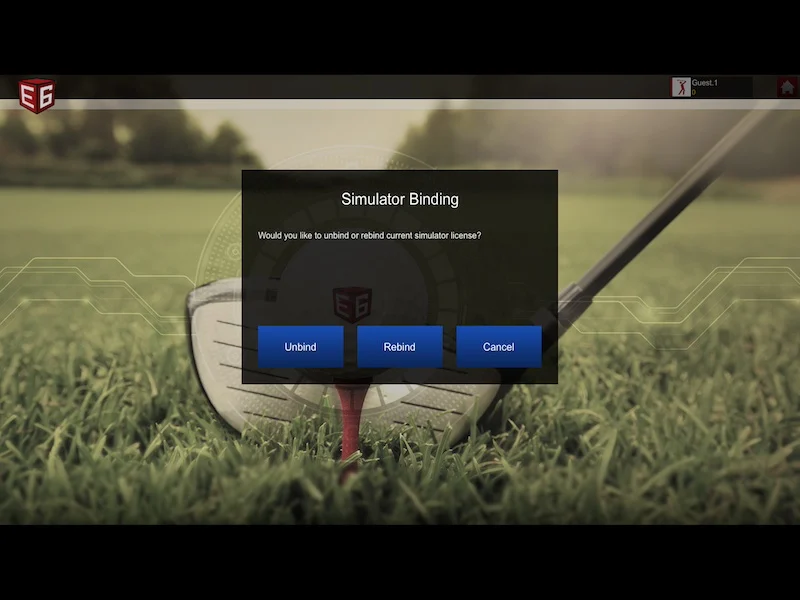
- To choose a different license, select Simulator Binding
- Choose to Unbind the license.This will redirect you to the main E6 login screen in your app.
Rebind the new E6 license
This will redirect you to the main E6 login screen in your app.Login to your E6 app using your existing E6 credentials
Choose to 'bind a new license' if presented with the option
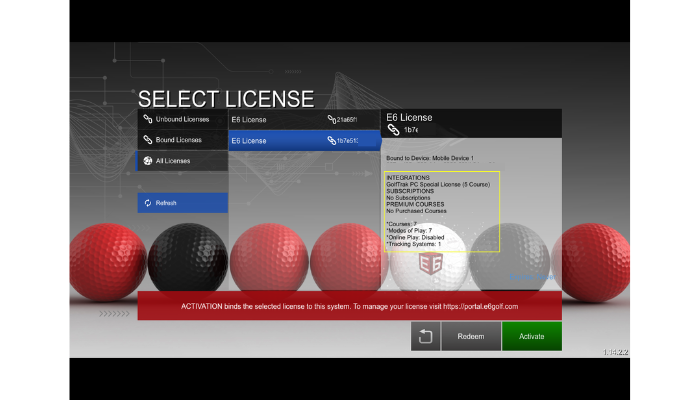
On the Select License screen, choose 'All Licenses'
Find the license ID titled 'GolfTrak PC Special License (5-Course)'and select it.
Tap the 'Activate' button to confirm